> ## Documentation Index
> Fetch the complete documentation index at: https://docs.camo.ag/llms.txt
> Use this file to discover all available pages before exploring further.
# June 2025 Release Notes
## Networks
In CamoAg, a Network represents a group of linked parties or accounts that are managed together. These accounts may be connected through a shared address or business ties. By treating these accounts as a Network, users can better tailor services, upsell, and cross-sell products. It simplifies management and enables smarter, more efficient decision-making.
Networking can be viewed in the following areas of the platform:
* Search Results page
* Owner Information panel
* Reports
Check out the updated guides specific to each report as well as [What is a Network in CamoAg?](/hc/en-us/articles/32794351652375)
## Farms Page Filtering
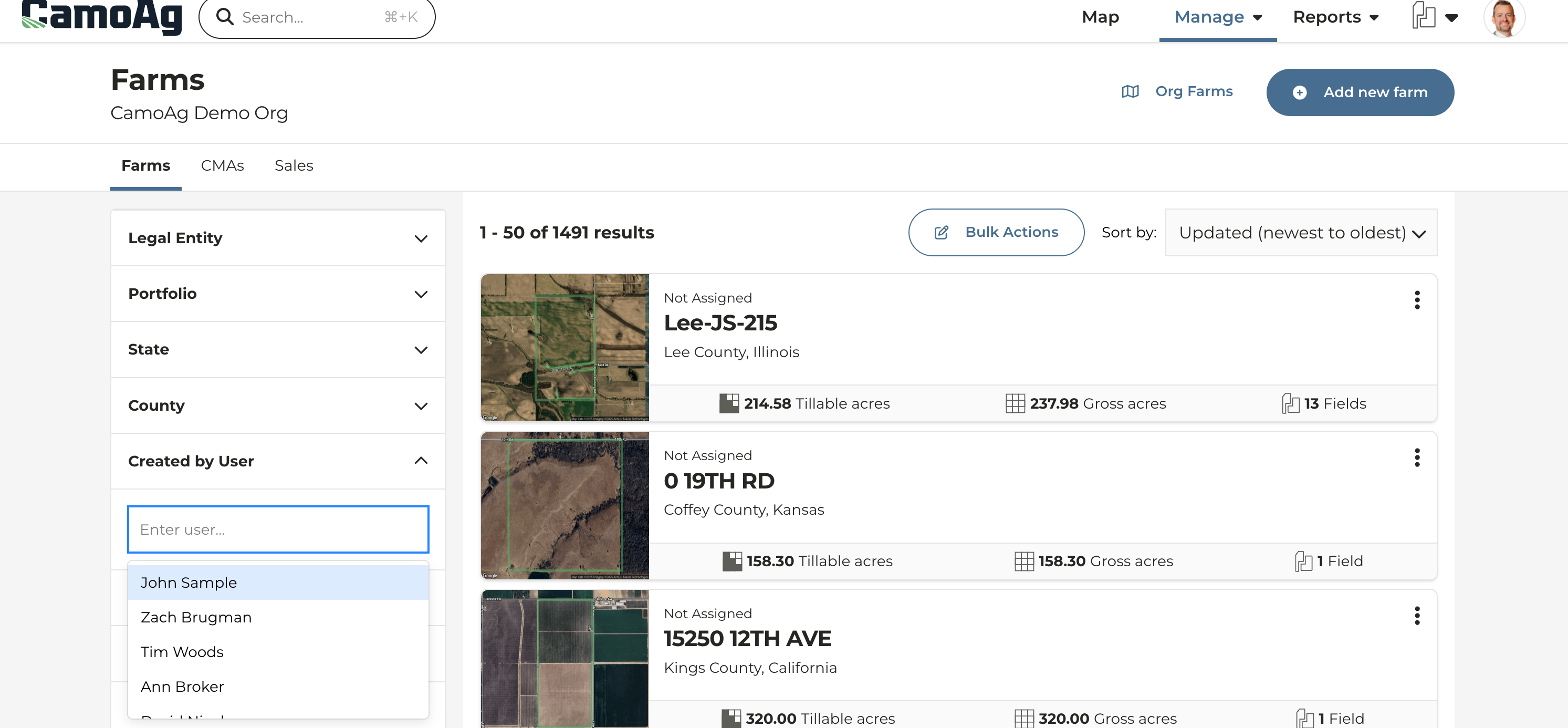
* We've added a **Created by User** filter on the Farms page allowing you to quickly filter to show only the farms you have created
* Name of the logged in user will appear first on the list by default
## Blanket Lien Continuation & Termination Status
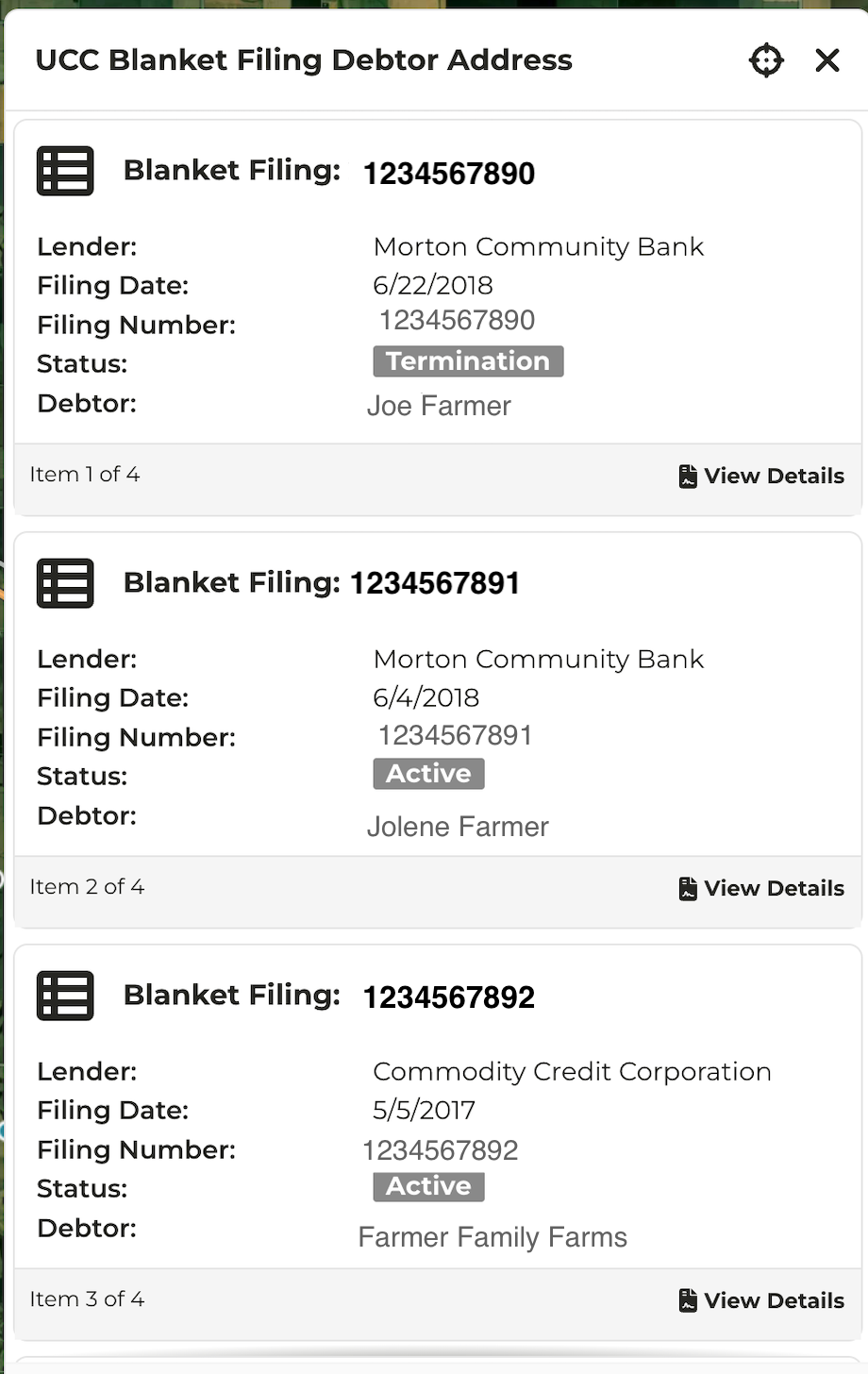
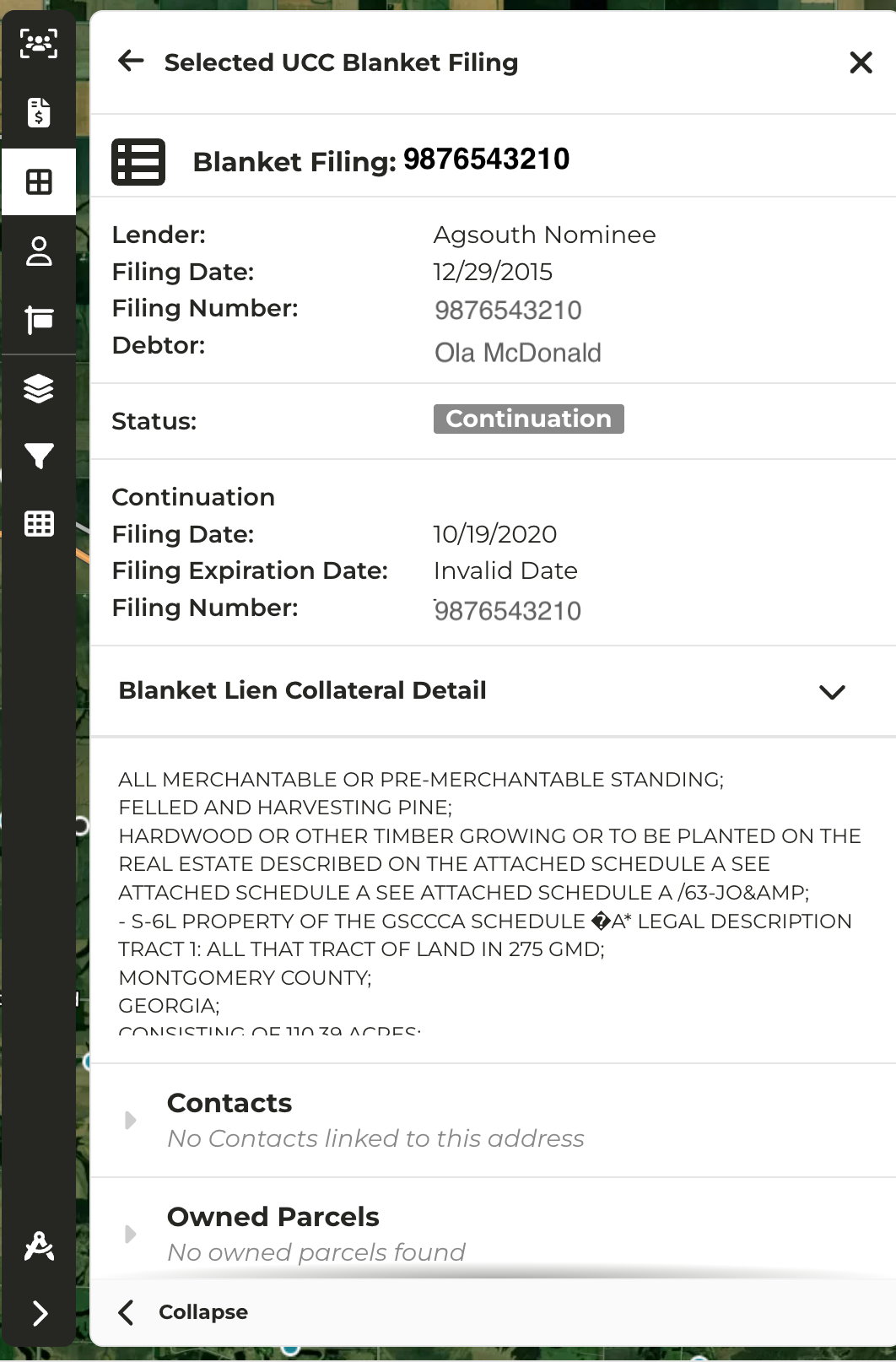
* If your organization's subscription includes Blanket Lien data, terminations and continuations are now visibly noted on the data panel when clicking into a lien
* Click on **View Details** to see additional collateral detail about the filing in question