*Available only to Enterprise Customers
Completing the Provided Templates
- Templates can be found at the bottom of this article.
- Customers with this module, we support a Map Layer import via CSV
- Each layer should be uploaded as a separate CSV file. For example, Office Locations would be one layer and one file and livestock feed lots would be a second layer and a second file.
- An item’s location can either be a point on the map, such as a well, irrigation pump, office location, etc. or a boundary of an area, such as a lending region, water district, etc.
- The import expects one map layer item per row (see examples below)
- Optional “Properties” fields should be entered and will display in CamoAg as entered. For example branch_manager or Branch Manager.
- Files should be saved as CSV and sent to your Customer Success Manager at CamoAg to coordinate uploading
Required Fields
- title (String) - The name of the item
Example: “Water Well Number 1” or “Springfield Branch Location”
- layer_name (String) - The name of the layer
Example: ‘California Water Wells’ or ‘Branch Locations’
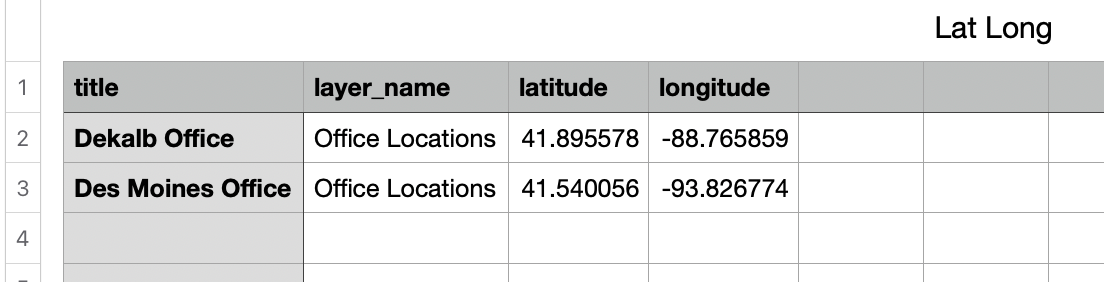
- Item Location: Point on the map identified by latitude/longitude coordinates or an address. Depending which option you choose to locate the point, the column titles should be written out as demonstrated in the below screenshots.
Option 1: Latitude/Longitude Coordinates
- latitude (String) - latitude coordinate
- longitude (String) - longitude coordinate
Option 2: Address
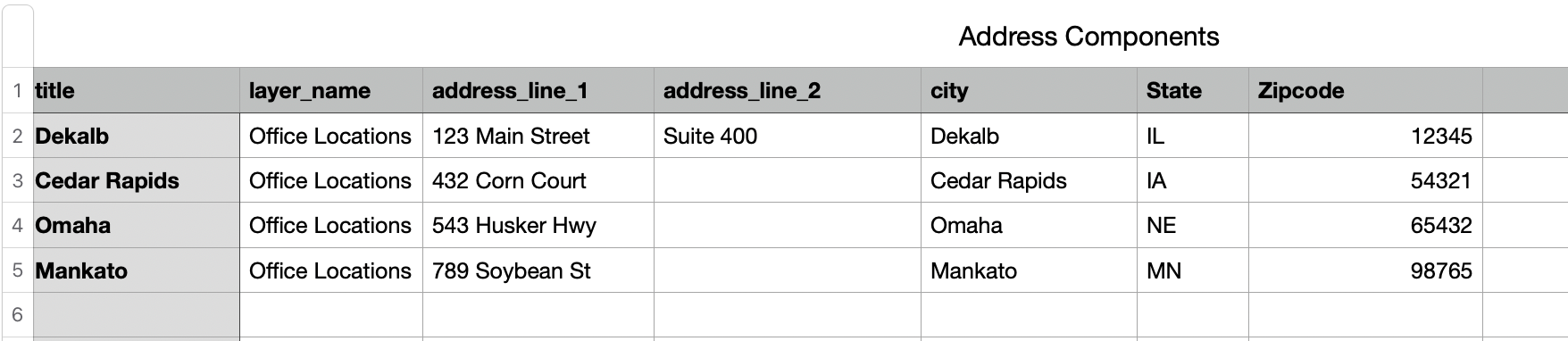
- address: An address should be provided as a single address string OR broken out by address components, but not both on the same file
Example: Address String
Example: Address Components
- address_line_1
- address_line_2
- city
- state
- zipcode
Optional Fields
Reserved optional fields
- external_id (String) - Used as an unique identifier for the point or boundary location
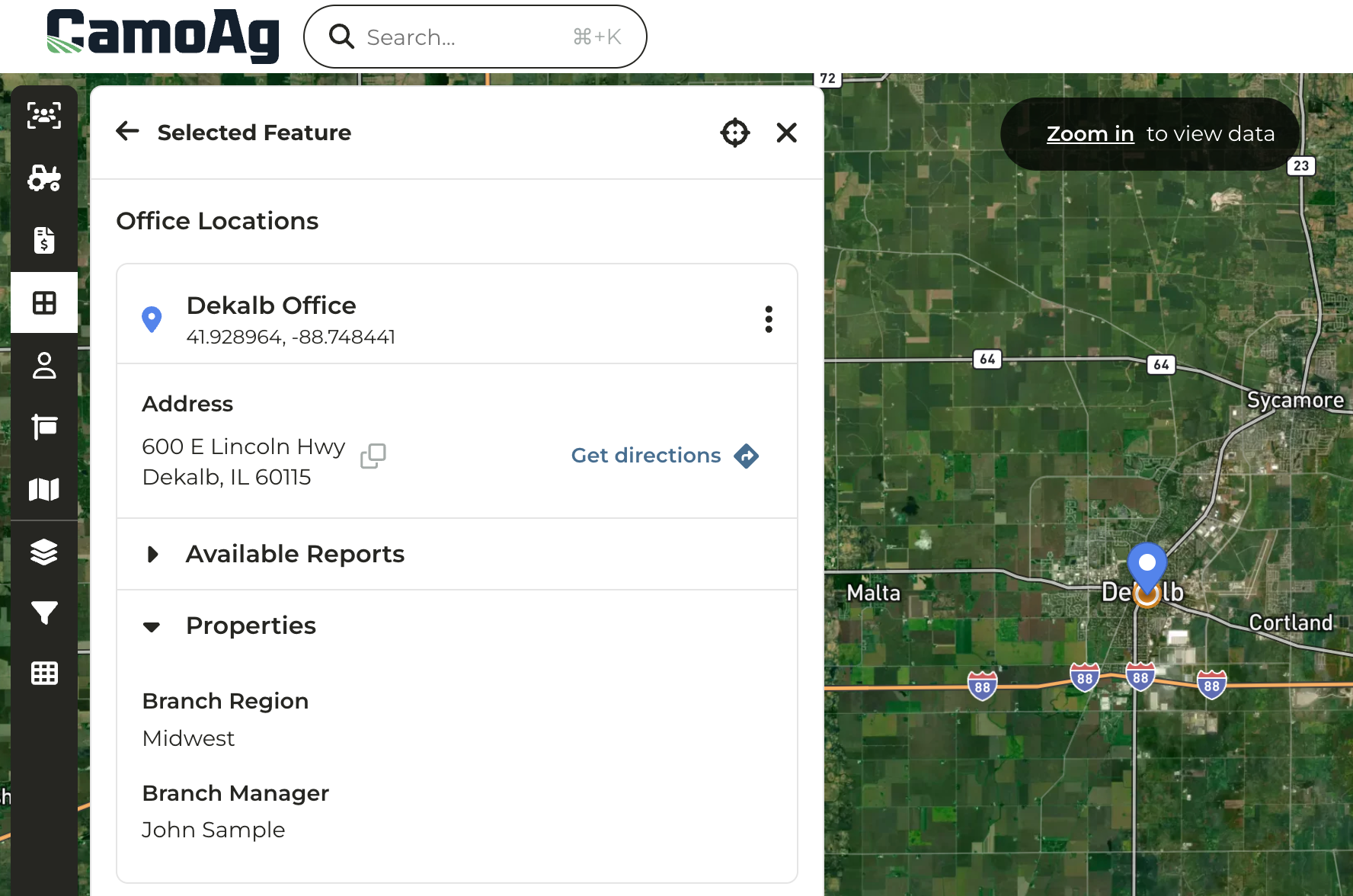
Any other fields provided in the csv will be converted to a ‘properties’ field and shown in the platform as seen in the screenshot below. Properties can be edited from the map in CamoAg.
Sample Optional Fields
- branch_region = “Midwest”
- branch_manager = “John Sample”
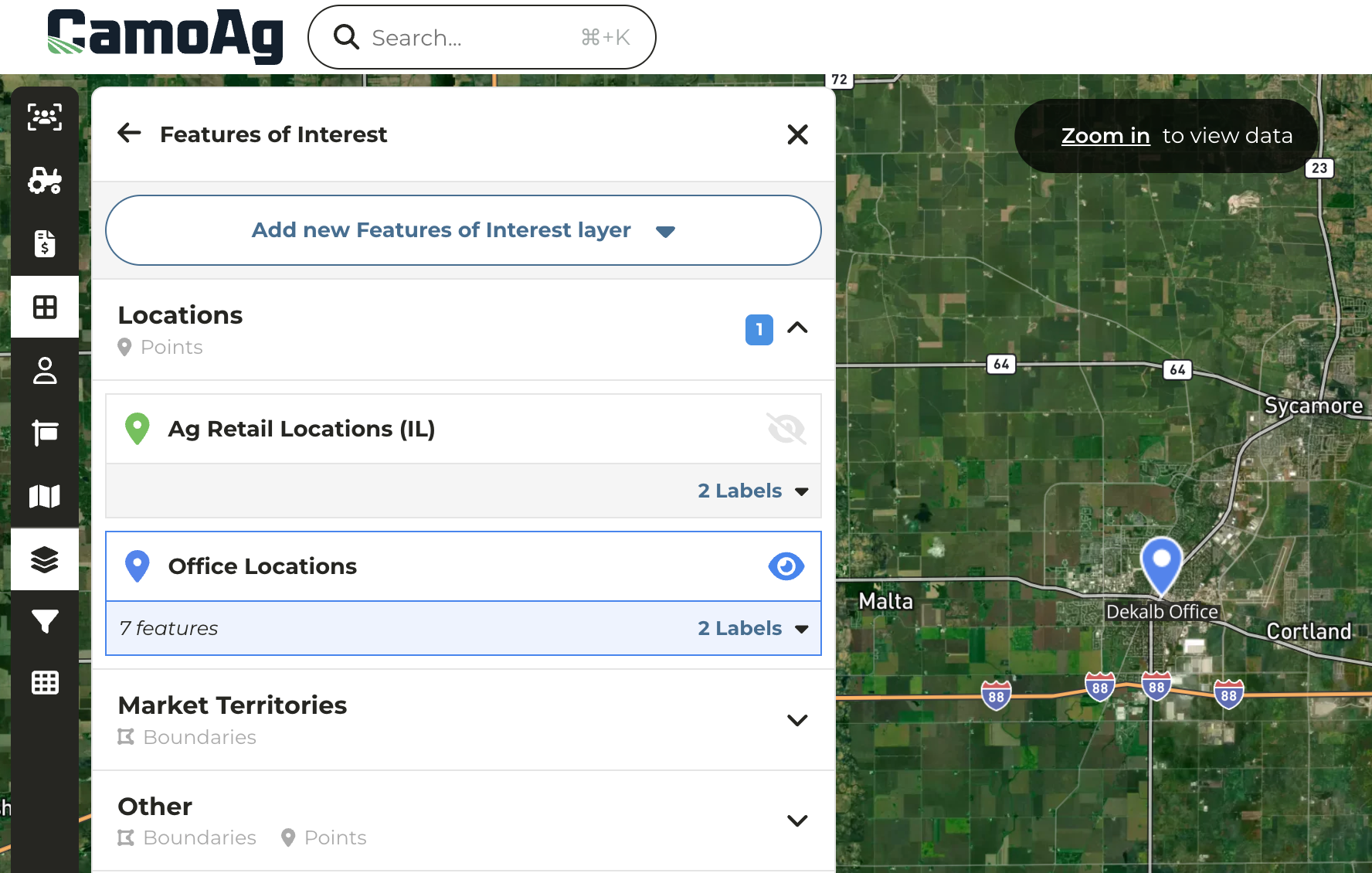
Layer Category = Locations and Layer Name = Office Locations
The Title of the Point can include Properties to add more detail
Last modified on September 23, 2026