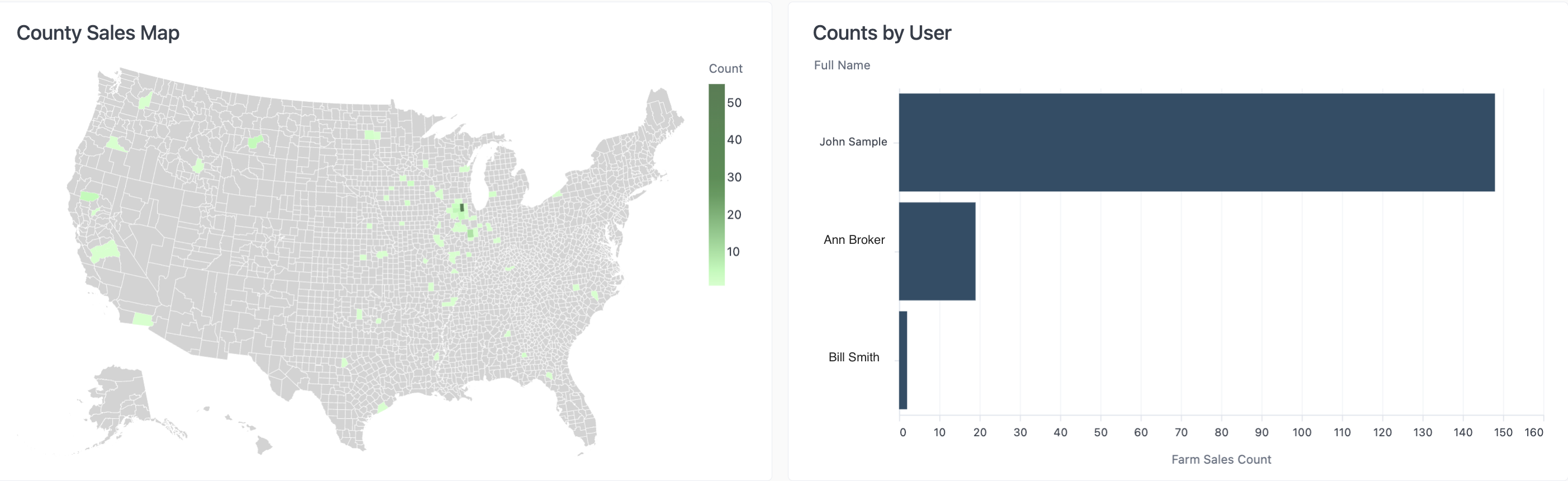
The Comps Created report allows you to view all private sales comps that have been entered into the CamoAg platform by someone within your organization
To see all available filters click on the funnel to the right of the filters
Farm State: Filter to show properties with comps that are in a specific stateFarm County: Select the county or counties you would like to include or exclude
Note: The county filter is not state specific and will display all counties regardless of the state selected.
Created By User: Filter for a specific user within your organization
Use Case: You want a birds eye view of all the Private Comps you or a user within your organization has created or locate a specific private comparable sale created in order to make edits.
Sale Type: Filter by Auction or ListingSold Date: Filter to view sales comps by their sold dateTotal Acres: Total acres attributed to the comp createdPrice Per Acre: Filter by the per acre price vs. the total sale priceSoil Rating: Filter to show only private comps with a certain soil ratingCreated At: Filter by the date or time frame the Comp was created